
Know which products to push before you spend the next rupee on ads.
DPanda's Catalog Analytics watches your real traffic and conversion behaviour, then turns it into a label for every product — so you know exactly where to put your Google Ads budget and where to pull it back.
Brands selling on DPanda





























...and 5,000+ more brands across every category
A full walkthrough, in English & Hindi.
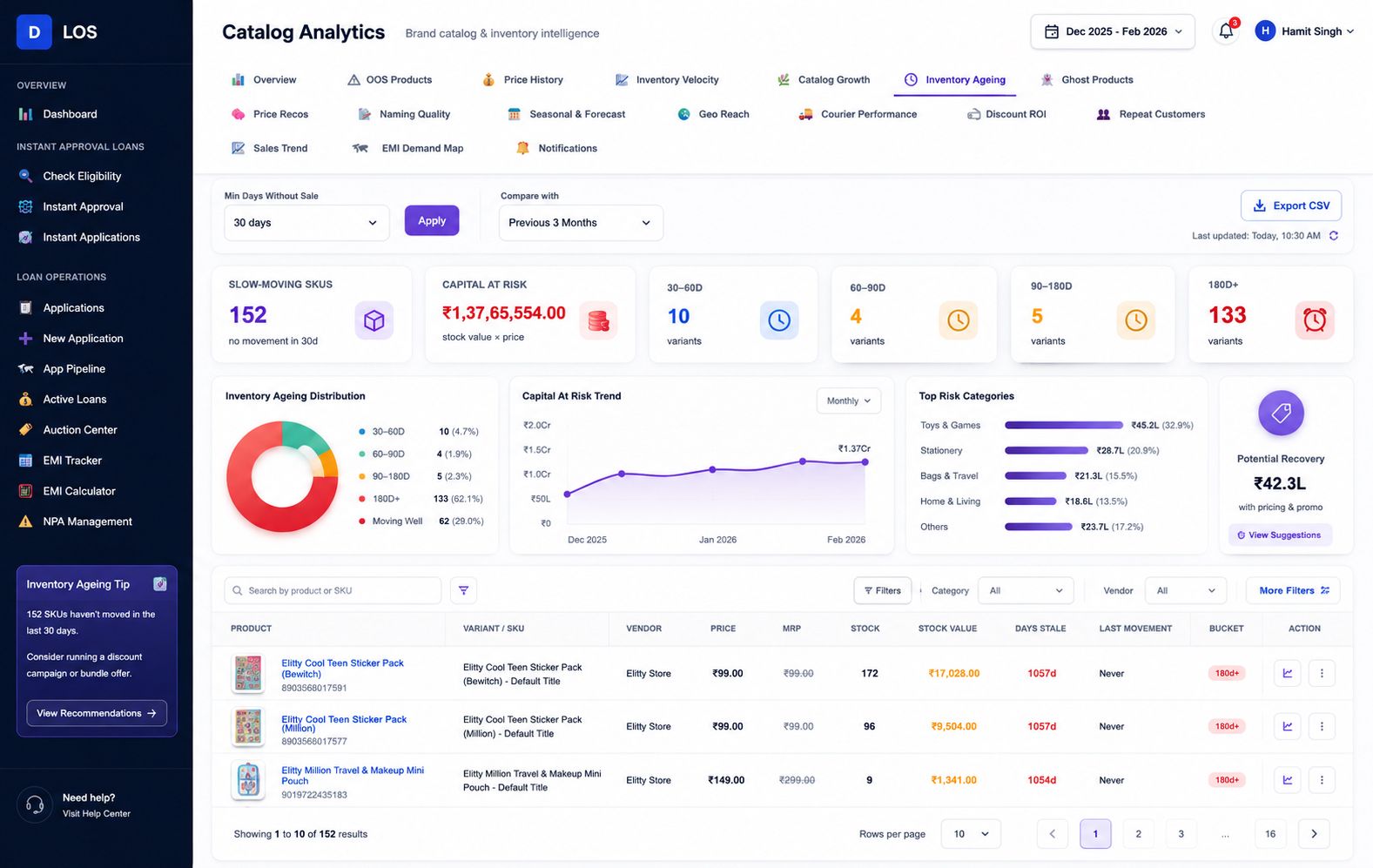
See exactly how the dashboard flags slow-moving stock and capital at risk, end to end.
Three data sources. One label per product.
GA4 Traffic Monitoring
Real visitor behaviour on each product page — time on page, bounce rate, scroll depth — pulled directly from your store's GA4 property.
Competitor Price Analysis
Tracks how your listings actually appear and perform against competitors in the market, not just inside your own dashboard.
Shopify (or any OMS) ↔ DPanda Bridge
A direct API bridge keeps product, price and inventory data in sync, so labels always reflect what's actually live in your store.
Real shopper behaviour, not just spend — because attention tells the truth.
Spend, clicks and impressions can lie. The label engine blends multiple real signals from how shoppers actually behave on your product pages, so every SKU gets a clear call before more budget goes against it.
Proven demand
The engine flags these SKUs to increase ad budget toward — real signal, ready to scale.
Mixed signal
Listings worth a creative or pricing review before committing more spend.
Wasting spend
Budget pulled back automatically — underperforming SKUs get flagged first.
Every affiliate order attributed — even when the checkout isn't Shopify's.
When your traffic comes from several affiliate partners at once and you run a custom or headless checkout, Shopify's built-in attribution quietly breaks: many checkout partners take the buyer off Shopify's native checkout, so its pixel never fires and the sale loses its source. DPanda's Catalog Analytics attributes every order to the partner that drove it — whatever the checkout — and pushes that data back to your affiliate partners so their reporting and payouts stay accurate.
Attribution for every order type
Native Shopify checkout, custom or headless checkout, COD and ONDC buyer-app orders are all tied back to the affiliate, campaign or partner that originated them — in one view.
Built for custom checkouts
When a checkout partner moves the buyer off Shopify's native flow, the in-built pixel can't see the conversion. DPanda captures attribution server-side, so orders Shopify would drop are still matched to their source.
Postback to your partners
DPanda sends conversion data back to each affiliate network via server-to-server postback, so partner dashboards reconcile against your real orders and commissions are paid on accurate numbers.
Analytics is the feedback loop, not the end of the line.
What the label engine learns feeds back into which products get distributed further, which get an influencer push, and which deserve an EMI option at checkout.
See your own catalog labelled.
Share your Shopify store and we'll run a sample label pass so you can see the signal before committing to anything.